
7 Powerful Green Messages Meaning on iPhone: The Surprising Truth About Why Texts Turn Green
You send a text, glance down, and instead of the familiar blue bubble, you see green. If you’ve ever paused mid-conversation wondering what that color swap actually says about your phone, your carrier, or the person on the other end, you’re not alone this happens to millions of iPhone owners every single day.
The short answer to green messages meaning is simple: your text went out as SMS or MMS instead of iMessage. But the reasons behind that switch, and what it does and doesn’t tell you about the person you’re texting, deserve a closer look because a lot of the assumptions people make about green bubbles are flat-out wrong.
What Green Messages Mean on iPhone (Primary Meaning)
At its core, the green messages meaning on an iPhone comes down to which messaging protocol carried your text. Blue bubbles run on iMessage, Apple’s internet-based system. Green bubbles run on the cellular network your carrier provides, using SMS or MMS instead.
That’s it no drama, no built-in judgment. A green messages meaning bubble simply tells you the message traveled over your phone plan’s texting service rather than Wi-Fi or mobile data through Apple’s servers. It’s a technical label, not an emotional one, even though it often gets read that way in the middle of a tense conversation.
| Feature | Blue Bubble (iMessage) | Green Bubble (SMS/MMS) |
| Connection needed | Wi-Fi or mobile data | Cellular signal only |
| Works with | Other Apple devices | Any phone, including Android |
| Read receipts | Yes (if enabled) | Rarely available |
| Media quality | Full resolution | Compressed |
| Encryption | End-to-end | Not encrypted |
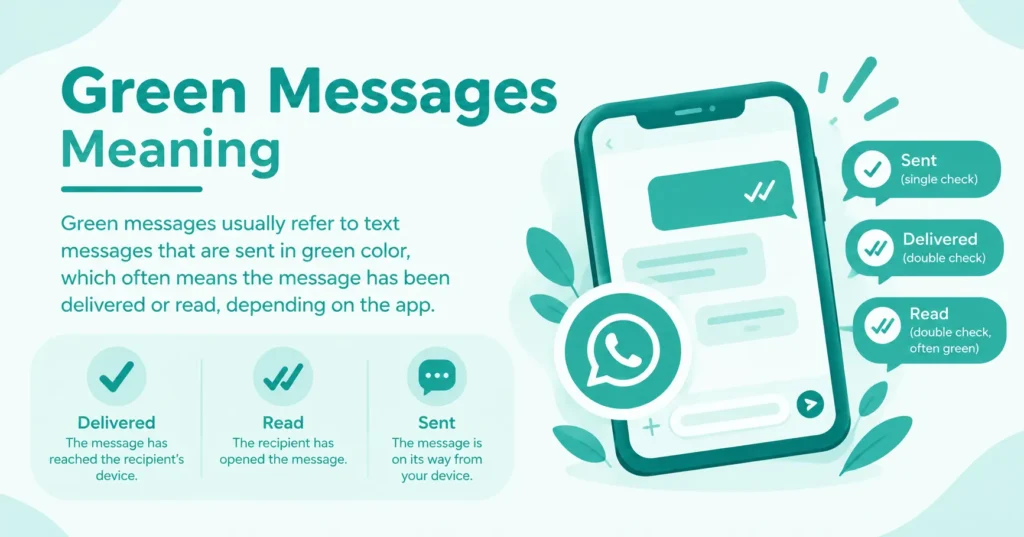
What Is SMS, and How Is It Different from iMessage?
SMS, short for Short Message Service, is the original texting standard that phones have used since the 1990s. It only needs a cellular signal, which is why a text can still go through in a parking garage or a spot with weak internet but decent bars.
iMessage, by contrast, is Apple’s own messaging layer built on top of an internet connection. It adds richer features encryption, read receipts, high-quality media but it only works when both people are on Apple devices with iMessage active and online.
Reasons Why iPhone Messages Turn Green
Green bubbles show up for a handful of specific, mostly mundane reasons. None of them, on their own, mean something is broken or that someone is intentionally cutting you off they’re almost always about settings, signal, or the device on the other end.
Here’s the full breakdown of what typically flips a conversation from blue to green messages meaning, starting with the most common cause and working down to the rarer technical hiccups worth ruling out before you jump to conclusions.
Texting Non-Apple Devices
If the person you’re messaging has an Android phone, iMessage simply isn’t an option it’s an Apple-exclusive protocol. Your iPhone automatically falls back to SMS/MMS, and the bubble turns green for that entire thread, permanently.
Connectivity Issues
iMessage needs an active internet connection, whether Wi-Fi or cellular data. If that connection drops on your end or theirs, the iPhone quietly defaults to SMS so the message still gets delivered, just through a different pipeline.
iMessage Activation Issues
Sometimes iMessage gets stuck on “Waiting for Activation” after a SIM swap, carrier change, or new device setup. Until Apple’s servers confirm activation, every message you send falls back to green SMS as a safety net.
Incorrect iMessage Settings
Occasionally the Apple ID or phone number linked to Messages gets misconfigured, especially after restoring a backup or switching numbers. Messages will look normal on your end but keep routing as SMS until the account settings are corrected.
The Recipient Turned Off iMessage
If the other person disabled iMessage in their own settings, your outgoing messages to them will always appear green, no matter how strong your own connection is. There’s no way to force blue bubbles unilaterally from just one side.
Does a Green Message Mean You’ve Been Blocked?
This is the assumption that causes the most unnecessary anxiety, and it’s largely a myth. A green bubble by itself tells you nothing about being blocked it only tells you the message went out as SMS instead of iMessage.
Blocking has its own separate signature: no delivered or read status ever appears, calls go straight to voicemail, and this pattern holds consistently across every message you send, not just occasionally. If you’re only seeing an occasional green bubble, connectivity or device type is the far more likely explanation.
Turn On iMessage So Your Messages Appear Blue
Getting back to blue bubbles is usually a two-minute fix, assuming both people are on iPhones and have working internet access. Apple keeps the toggle in one predictable place across every iOS version currently in use.
Open Settings, tap Apps, then Messages, and switch iMessage on. Give it a moment to activate over Wi-Fi or cellular data, and any new messages to other Apple users should shift back to blue automatically.
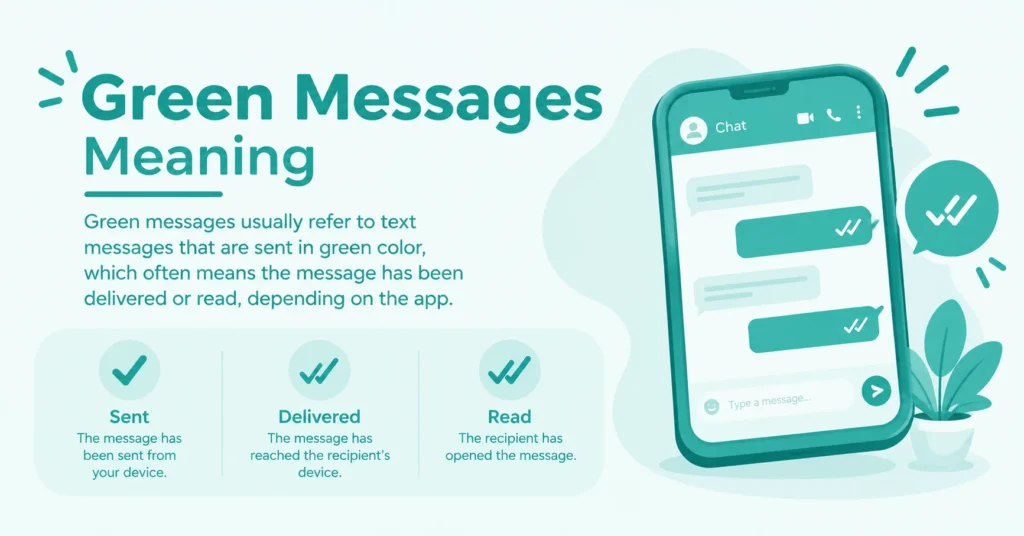
How to Fix Green Messages and Ensure They Stay Blue
Beyond the basic toggle, a few deeper checks resolve the stubborn cases where iMessage refuses to reactivate on its own, especially after a device change or carrier switch.
If blue bubbles won’t return no matter what you try, the issue is usually tied to account linking, network restrictions, or an outage on Apple’s end rather than anything actually wrong with your phone itself.
Checking iMessage Settings
Go to Settings, then green messages meaning, and confirm iMessage is toggled on. If it already appears active, turn it off, wait ten seconds, and turn it back on this often forces a fresh activation handshake with Apple’s servers.
What to Do If iMessage Is Unavailable
Check for a pending iOS update under Settings, General, Software Update, since outdated software occasionally breaks activation. If iMessage stays down for an extended period, resetting network settings or briefly enabling Airplane Mode can also help.
How Do You Know if a Green Message Was Delivered?
Unlike iMessage, standard SMS doesn’t come with a built-in “Delivered” or “Read” label in most cases, which leaves people guessing whether their green text actually landed.
The most reliable clue is absence of an error: if you don’t see a red “Not Delivered” warning beneath the green messages meaning, it almost always reached the recipient’s carrier successfully, even without a visible confirmation on your screen.
Advantages of iMessage Over SMS
Green messages work fine for basic communication, but iMessage carries real functional advantages that explain why Apple pushes users toward keeping it active whenever possible.
Beyond the visual difference, the practical gap between the two systems shows up most in security and in the little touches that make longer conversations feel more expressive and easier to follow.
Enhanced Security with End-to-End Encryption
Every iMessage is encrypted so thoroughly that only the sending and receiving devices can read it not even Apple has access. SMS carries no such protection, meaning green texts can theoretically be intercepted in transit.
Additional Features Exclusive to iMessage
iMessage supports read receipts, typing indicators, full-resolution photo and video sharing, tapback reactions, and animated green messages meaning effects. None of these carry over once a conversation switches to green.
Platform Differences
Green messages behave differently depending on who’s on the other end of the thread, and understanding those differences clears up a lot of the confusion people run into with group chats specifically.
Between two iPhones, green usually signals a temporary glitch or disabled setting since blue is the default. Texting an Android device is always green, permanently, since RCS and iMessage don’t interoperate, and a single Android member in a group chat turns the entire thread green for everyone in it.
Conclusion
Understanding the green messages meaning can make texting a lot less confusing, especially when you notice a change in how your messages appear. In many cases, green messages simply indicate that a message was sent as an SMS or MMS rather than through a messaging service such as iMessage.
The exact reason can depend on the phone, settings, network connection, or recipient’s device. So, seeing a green message does not automatically mean something is wrong. Once you know what the color represents, it becomes easier to understand what is happening without overthinking it. A simple color change can have a practical explanation, so check the messaging settings or connection when needed.
FAQs
Author

Ethan Carter is an SEO blogger specializing in internet slang, text abbreviations, and social media meanings. He creates clear, accurate, and reader-friendly content backed by thorough research. His goal is to help readers understand modern online language with reliable, easy-to-read guides.


2 Comments